

Why do members unsubscribe from everything?
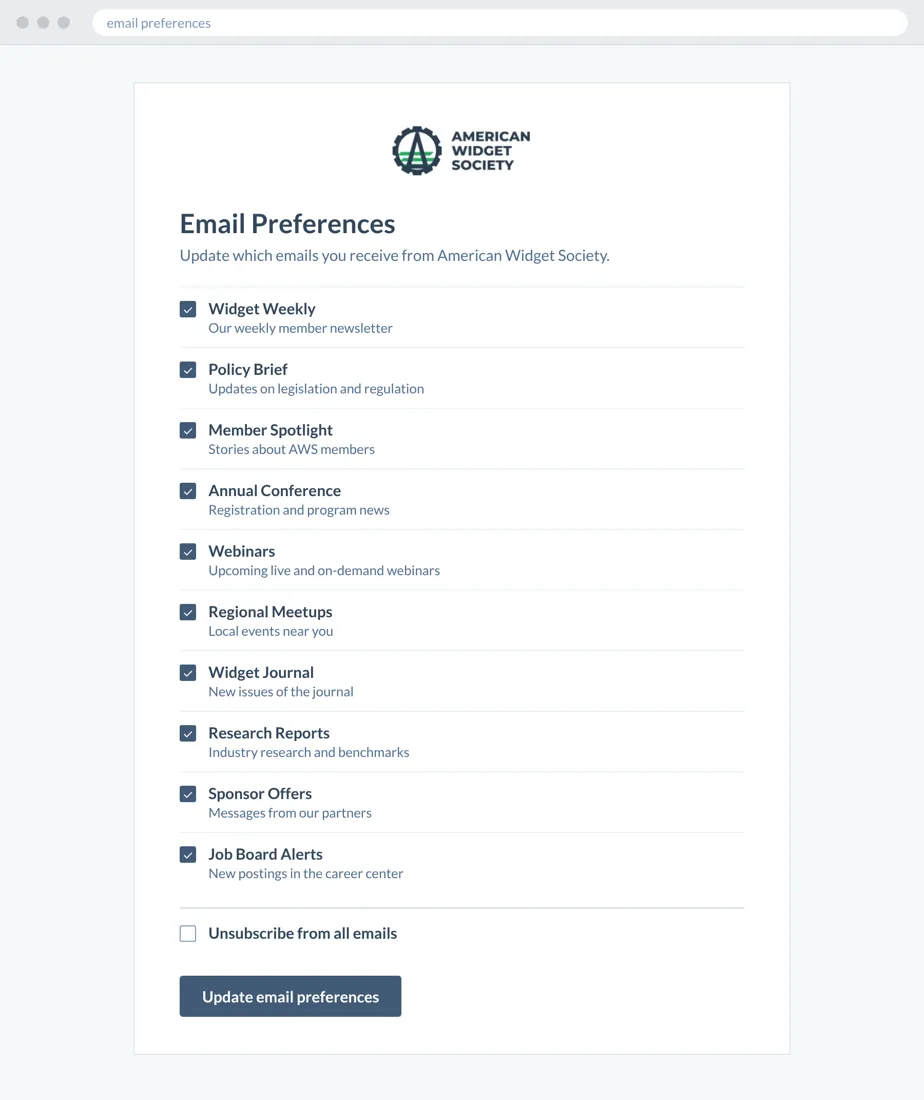
HubSpot’s default preferences page is one long list of checkboxes, and it covers only the channels HubSpot manages, so direct mail, telemarketing and other outside channels are left out. Faced with it, many members click unsubscribe from all.
One long list drives unsubscribes
A restyled default page is still one wall of checkboxes.
Staff can’t resubscribe members
HubSpot requires contacts to resubscribe themselves, and few know how.
Custom-coded pages break
They work until HubSpot changes its subscription function.
What makes the Preferences Portal different?
Members drop the topics they do not want, not your whole association, so renewal, event and advocacy messages keep reaching them. The portal is branded to your association, covers email, text, direct mail and telemarketing, includes a resubscribe workflow, and stays current as HubSpot changes.
A branded page members understand
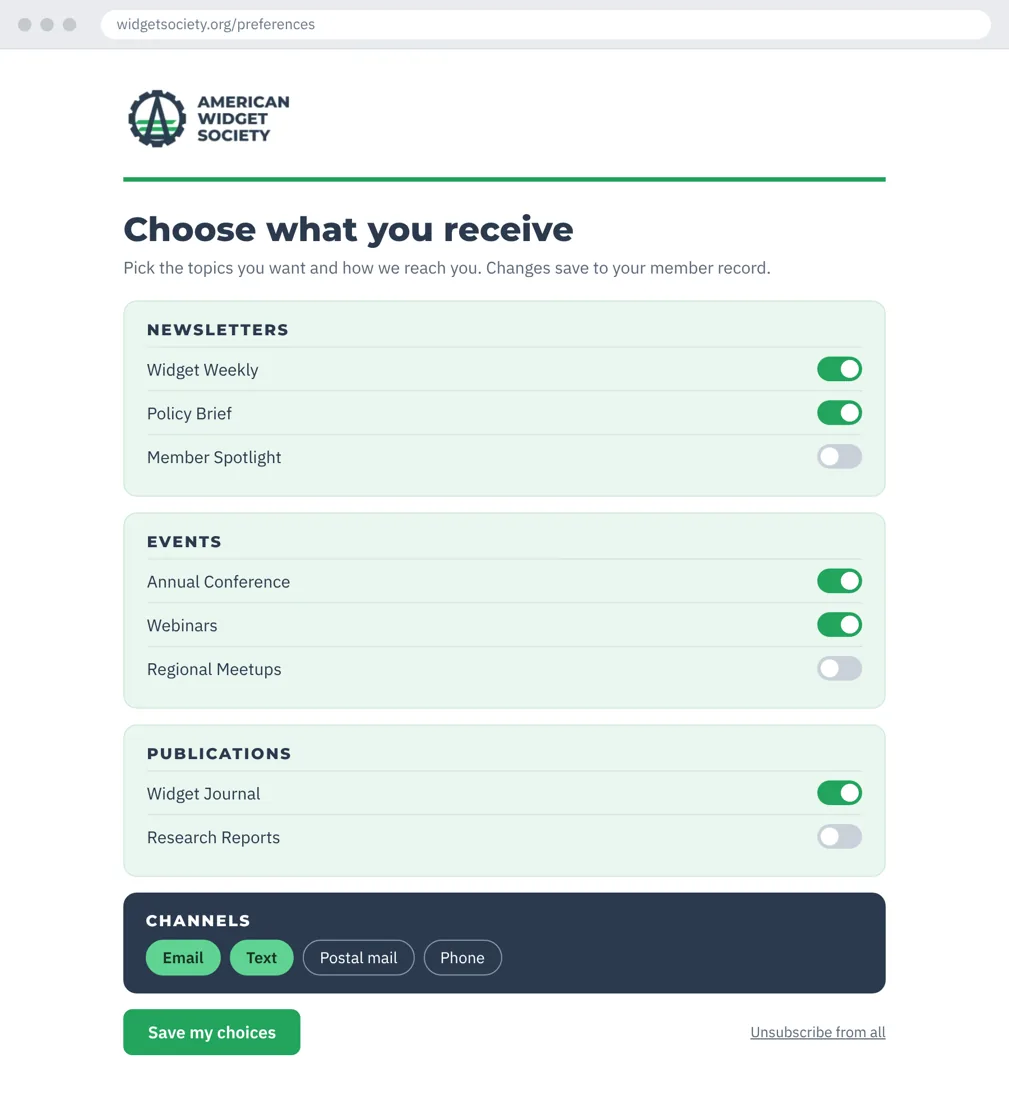
Topics grouped into categories with simple toggles, in your logo, colors and fonts.
A resubscribe page and workflow
Members who opted out by mistake can come back, and your staff know how to help.
Every channel your members hear from
Email and text, plus outside channels like direct mail and telemarketing, each with its own permission.
Kept current as HubSpot changes
Your subscription covers the maintenance, fixes and updates that keep it working.


How does it work behind the scenes?

Built for the rules each channel follows
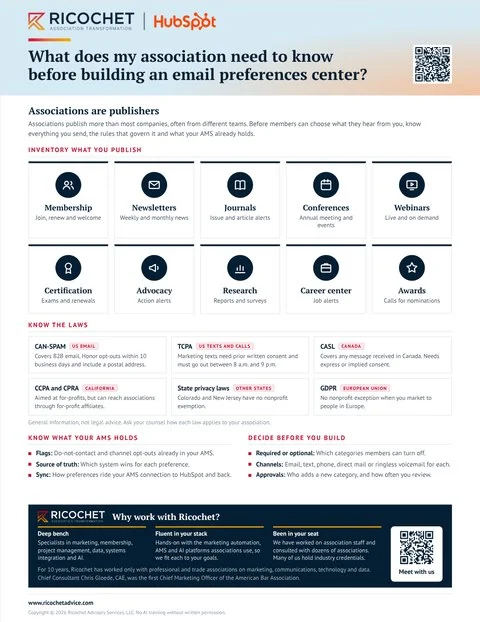
CAN-SPAM, TCPA, CASL, GDPR and state privacy laws, with text and phone kept on their own toggles. General information, not legal advice.
Hosted inside your HubSpot
Nothing else to host. It uses HubSpot’s own security, and every choice saves to the contact record.
How a member comes back
A member finds your resubscribe page, picks the emails they want back and confirms by email. No confirmation after two business days? If you have HubSpot SMS, a text reminder follows.
What your team does, and what we do
Your team lists its topics and channels, edits the page copy and confirms the brand kit once. Ricochet does everything else.
What do I get with the Preferences Portal?
A preferences portal built in your HubSpot and kept current for you. It carries your logo, colors and fonts, groups every subscription type into categories, puts every channel on one page, and comes with a resubscribe workflow and a playbook your staff follow for every request.
- A branded portalYour logo, colors and fonts, with all your subscription types grouped into categories.
- Every channel on one pageEmail and text, plus outside channels like direct mail and telemarketing that HubSpot’s default page leaves out.
- A resubscribe page and workflowA way back for members who opted out by mistake.
- A customer service playbookClear steps your staff follow for every request.
- Updates as HubSpot changesMaintenance, fixes and support from Ricochet, in your annual subscription.
Requires HubSpot Marketing Hub Pro or Enterprise.
Let’s talk about your association
Bring your toughest question. We’ll help you find the next step.
Let’s talk