


How is it different from HubSpot’s default page?
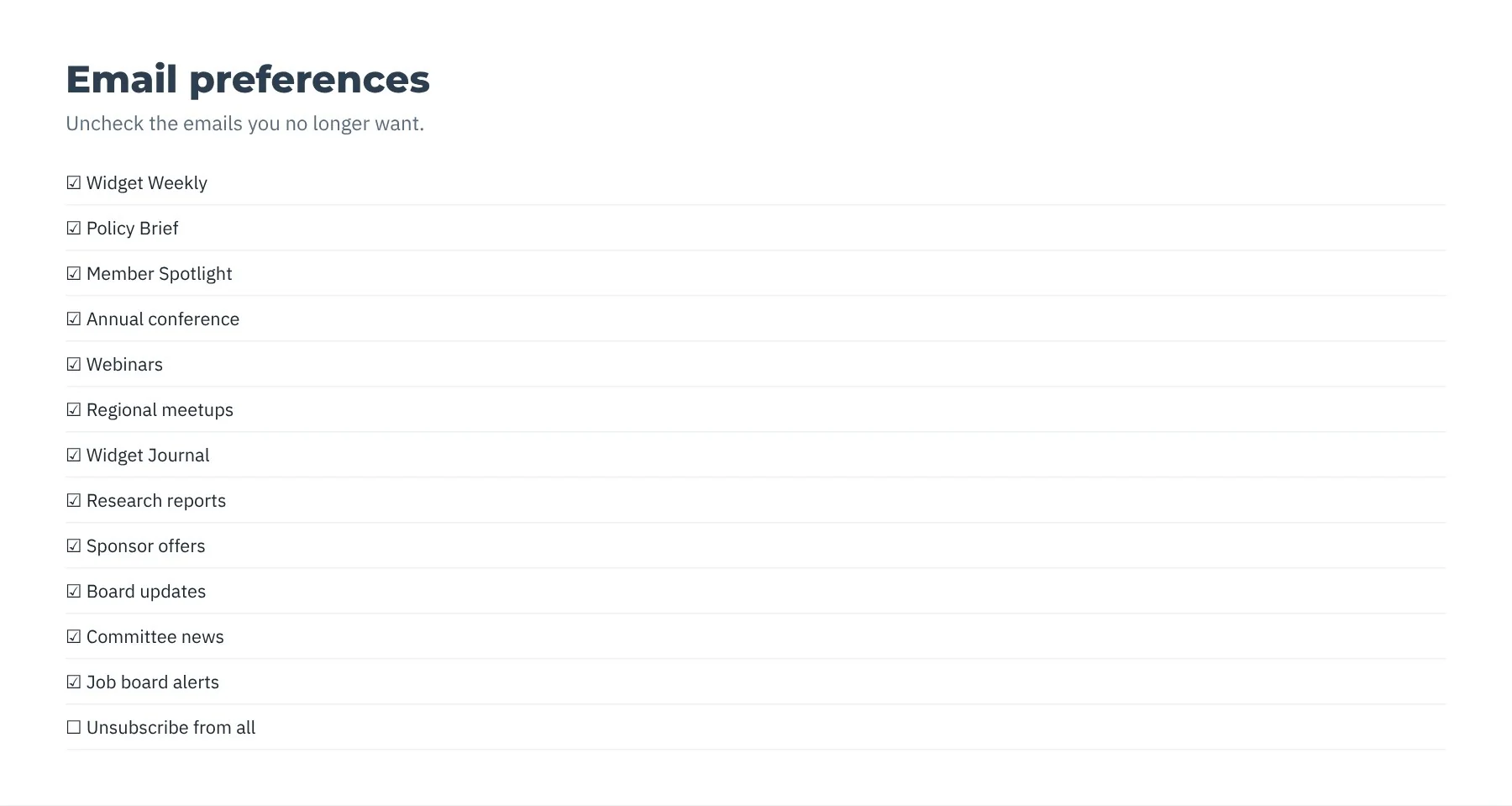
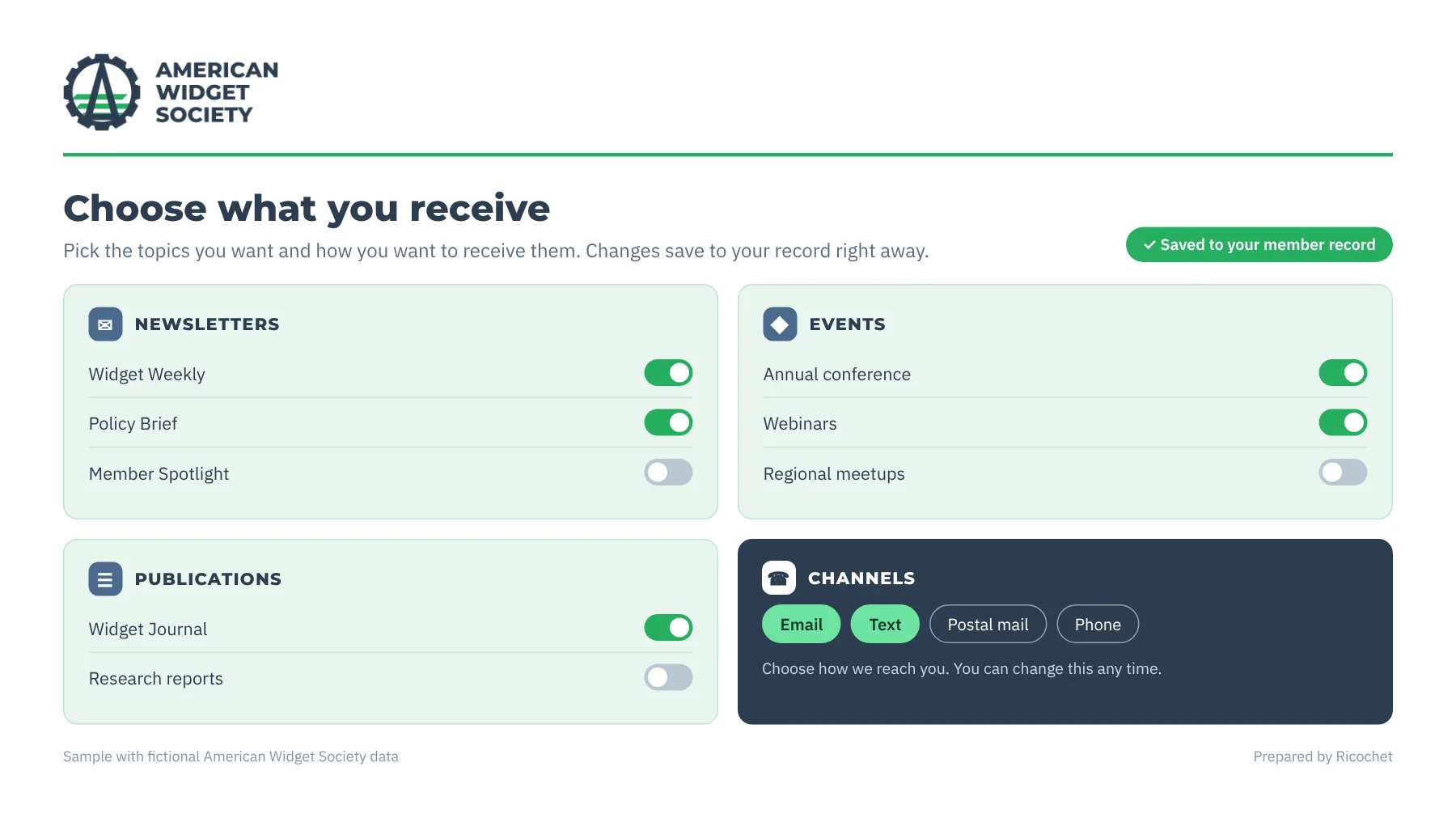
HubSpot’s default page is one long list. The portal groups your communications, matches your website and lets members choose how they hear from you.
What can the Preferences Portal do?
Built on HubSpot and connected to it natively, so members choose what they get and your records stay current.
-
A friendlier page
Topics grouped into categories, in your logo, colors and fonts.
-

Built on HubSpot
Nothing to host, and you get HubSpot’s security.
-

Native to HubSpot
No integration to build or maintain. Changes save to the contact record.
-

Every channel
Email, text and phone, plus channels connected to HubSpot like direct mail and ringless voicemail.
-

Friendly with your AMS
Preferences ride your existing AMS data connection back into your AMS.
What do I get with the Preferences Portal?
Members choose what they hear from you, so they stay instead of unsubscribing from everything.
- Fewer unsubscribesMembers drop the topics they do not want, not your whole association.
- Members stay reachableRenewal, event and advocacy messages keep reaching the members who chose them.
- Every channel in one placeMembers set choices for email, mobile, direct mail and phone.
- No upkeepThe annual subscription keeps the portal working as HubSpot changes.
What associations ask about the Preferences Portal
Does it work with our existing subscription types?
Yes, it works with your existing subscription types. It connects to HubSpot’s subscription system and updates the same properties your emails reference. That lets members manage the subscription choices represented in HubSpot while your email preferences continue to use those properties. The portal is built on HubSpot and connected to it natively.
Where is the portal hosted?
The Preferences Portal is hosted inside your HubSpot account, so there is nothing else for your association to host. It is built on HubSpot and connected to it natively, rather than requiring a separate hosting location. Members use the branded preferences page to choose what they receive, and changes save to their HubSpot contact record.
Can preferences flow back to our AMS?
Yes. Preferences from the portal can ride whatever AMS data connection you already have with HubSpot. The portal is friendly with your existing AMS setup, so preferences can return through that connection rather than requiring a new one. Changes members make save to their HubSpot contact record.
What happens when HubSpot changes its subscription tools?
The annual subscription covers maintenance, fixes and updates, including updates to keep the portal compatible when HubSpot changes its subscription tools. The portal is built on HubSpot and connected natively, and its changes save to the contact record. This helps your association keep its preferences portal aligned with HubSpot’s subscription tools as they change.
How is it priced?
It is priced as a one-time implementation fee plus an annual subscription for maintenance, fixes and updates. The implementation fee is paid once, while the subscription supports ongoing care of the Preferences Portal, including maintenance and changes needed to keep it current with HubSpot. Specific amounts are not listed here.
What should we do before building a preferences center?
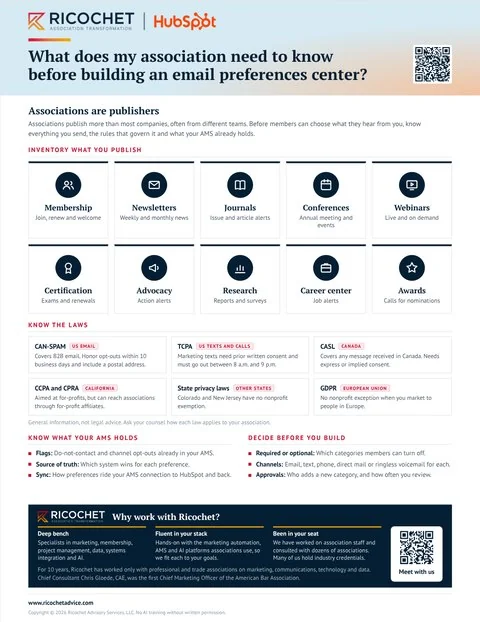
Inventory everything you publish, from newsletters and journals to conferences, advocacy alerts and job alerts. Check which laws apply to each channel. Confirm which do-not-contact flags and opt-outs your AMS already holds, and which system wins for each preference. Then decide which categories members can turn off and who approves new ones.
Which laws apply to association email and texts?
CAN-SPAM covers US email, including business email. The TCPA covers marketing texts and calls. CASL covers messages received in Canada, GDPR covers people in the European Union, and California and other states have their own privacy laws, some with no nonprofit exemption. This is general information, not legal advice, so ask your counsel.
Let’s talk about your association
Bring your toughest question. We’ll help you find the next step.
Let’s talk